ZOFF / SHARED MUSIC QUEUE
A music queue everyone can shape
Stop passing one person’s phone around. A Zoff room gives everyone a shared view of what is playing and what comes next, with song suggestions and votes arriving in the same queue.
Create a music roomFree to start. No Zoff account needed.
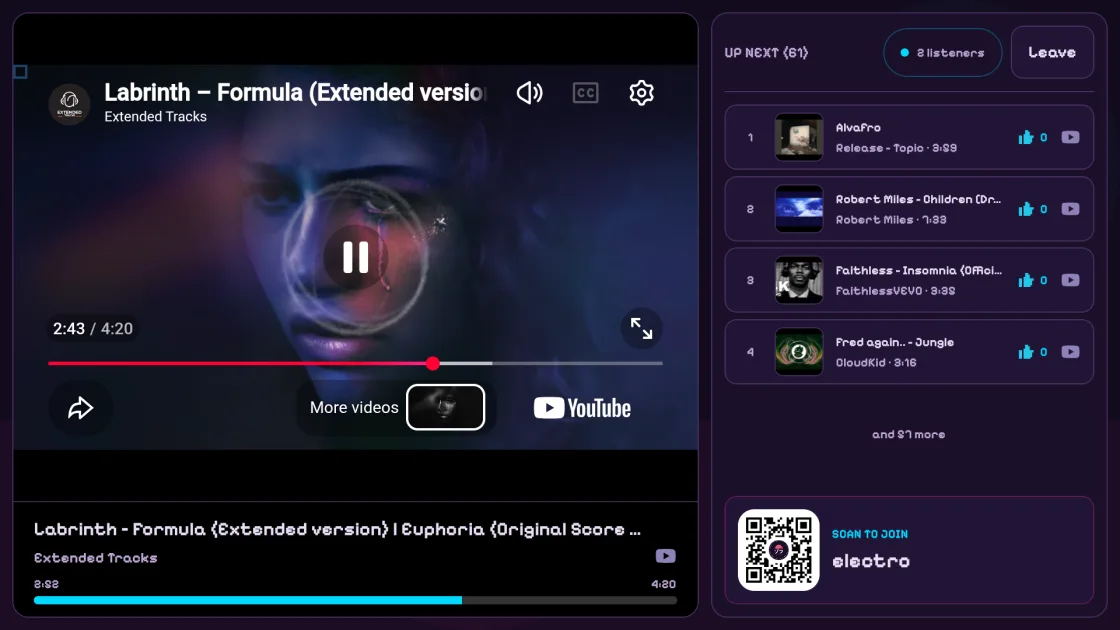
Add a song, not another message
Search supported providers such as YouTube and SoundCloud, or paste a track link. Add a choice straight to the room instead of sending links for someone else to collect. The enabled providers and room permissions determine what each guest can add.
Let the room vote
Song votes help your group shape the queue. For skips, room admins can choose democratic voting or restrict skipping to admins. These controls let a collaborative playlist stay collaborative without handing every guest unrestricted playback control.
Start with a playlist
When playlist import is enabled and you have the required room permissions, paste a supported playlist link to bring an existing selection into the room. Import progress lets you follow the additions while the queue remains available for listening.
Choose what happens after playback
Keep played tracks in rotation for a repeating soundtrack, or enable removal after play for a queue that moves on. Duplicate-song and admin-only addition settings help tailor the queue to a small group, a shared workspace or a larger gathering.