ZOFF / PARTY MUSIC
Your party. Everyone’s soundtrack.
Let guests help choose the music without crowding around the speakers. Open a Zoff room on your playback device, share the room link and turn everyone’s suggestions into one party queue.
Create a music roomFree to start. No Zoff account needed.
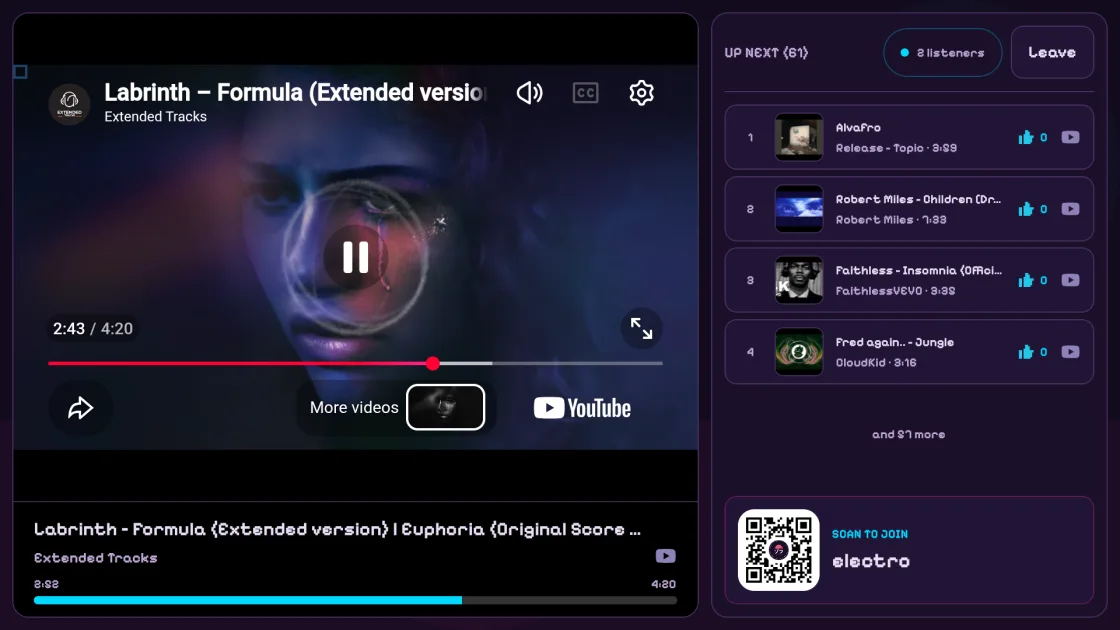
One player for the room
Use a computer or supported TV setup for the main player and connect it to your speakers. Guests can open the room on their phones to add songs and vote. Turn off the player on devices that only need to control the queue to avoid several speakers playing at once.
Keep a host in charge
Host mode gives the host playback control. An optional room-admin password protects settings, and admins-only skip or add controls let you decide how open the party jukebox should be. Song voting still gives guests a way to express what they want to hear.
Share a link, not your device
Guests do not need a Zoff account to join. Send the room link to your group, then let people browse the queue from their own devices. A paired remote can also control another Zoff player without becoming an additional listener.
Plan around your music providers
Music plays through official provider players, not downloaded audio files. Availability, ads and playback restrictions are controlled by the provider. For public events or commercial venues, check the music rights and provider terms that apply to your use.